 WYNZO.MICROSOFT STORE ↗
Your old skins. A new player.
How to bring classic and modern Winamp interfaces into Wynzo, and what to check when applying a skin.
Updated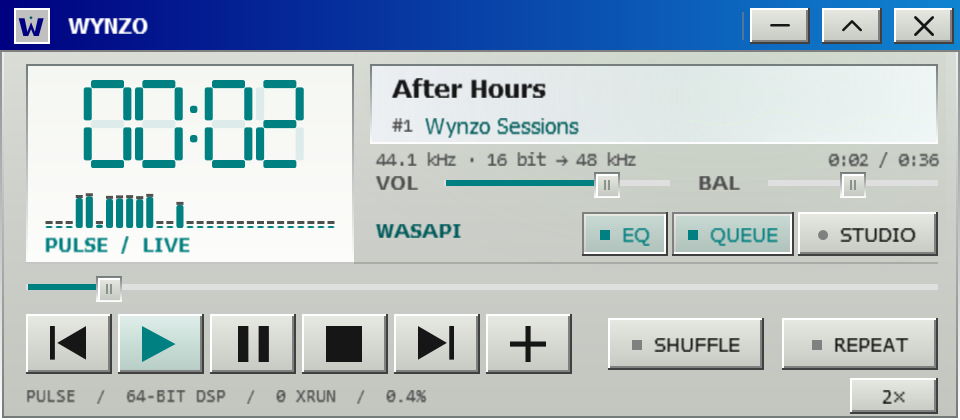
Two generations of Winamp skins
Wynzo supports classic Winamp 2 .wsz skins and modern Winamp 3/5 .wal skins. Classic skins use bitmap-based artwork for the player, equalizer and playlist. Modern skins use a more flexible XML interface with scripts, themes and additional window layouts.
Wynzo provides its own skin engines. It is an independent Windows music player and is not affiliated with Winamp. Your music library and PULSE audio engine sit underneath the selected interface.
How to install a skin in Wynzo
- Obtain a skin file you are entitled to use. Keep its
.wszor.walextension. - Open Wynzo and go to Studio → Interface.
- Install the skin through the skin manager, or drop the skin file onto the player.
- Select the installed skin and check its player, EQ and queue windows.
- If a control or resource is missing, return to an original Wynzo skin and check the compatibility notes below.
The selected skin changes the interface. It does not make a processed audio path bit-perfect, change a file's resolution or increase a device's capabilities.
What compatibility does and does not mean
Classic support follows the Winamp 2 layout and drawing behavior. Modern support includes XML layouts, themes and MAKI script handling in Wynzo's own virtual machine. Rendering and control behavior can vary with a skin's features.
Some modern skins borrow frame or system resources from Winamp. Wynzo does not bundle Winamp's own files; those resources are read from a Winamp installation on the PC when available. Support for a format is not a promise that every skin is identical in every state.
The product's documented comparisons include real Winamp captures and synthetic skins that identify sprite positions. Those checks are evidence for the tested cases, rather than a universal compatibility certificate for all community skins.
Original Wynzo interfaces
Wynzo also provides five original interfaces: ÆON / 2222, DOS / SIGNAL, CLASSIC 98, BE / STUDIO and LUNA XP. Explore the native skin catalog to compare actual application captures.
Choose an interface for how you use the player: a compact desktop arrangement, a terminal-inspired transport, or the orbital ÆON view. Studio remains the place to inspect the audio route and manage the interface.
View Wynzo in Microsoft Store to check availability, pricing and requirements. Read the audio engine guide for WASAPI, bypass and optional processing.